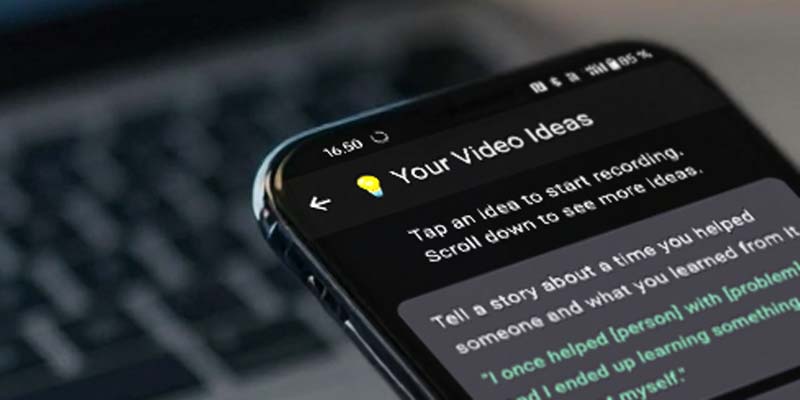
The idea library helps you figure out what to say next, so you can post consistently without staring at the camera blankly.
Answer a few questions about your profession, needs, and goals, then send a chosen idea straight into the built-in teleprompter to start recording.
- Get ideas tailored to your context (not generic prompts)
- Move an idea directly into the teleprompter
- Record once, then tighten the clip with transcript-based editing
From “blank” to “record”
Ideas are only useful if they turn into output. The workflow is designed to reduce the distance between inspiration and recording.
Define your context
Share your profession, needs, and goals.
Pick an idea
Choose a topic that matches what you actually want to post.
Send to teleprompter
Move the idea straight into the recording flow.
Record & edit by transcript
Talk once, then tighten the clip by editing the words.
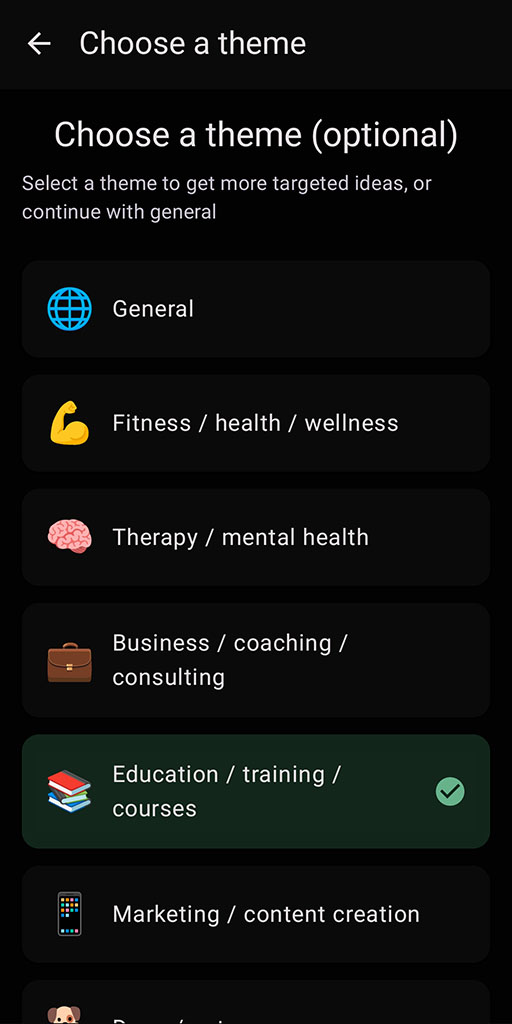
Tip: consistency is easier when you remove the “what do I post?” decision from each day.
Proof (what to expect)
The idea library helps you start faster and post more consistently.
Less blank-page friction
You have something to say before you hit record.
More consistent output
A repeatable way to pick topics.
Better clarity
Ideas help you stay on message.
Realistic caveat: ideas are prompts, not guarantees. The best results come from choosing ideas that match your real audience.
FAQ
Is the idea library only for influencers?
No. It’s useful for anyone who needs consistent topics: founders, coaches, consultants, agencies, and educators.
Can I use the ideas directly when recording?
Yes - you can send ideas into the built-in teleprompter so you can record from bullet points or a script.
What platforms does SpeechCut support?
Android is available now. iOS is planned (waitlist).
Related features
Ideas are most useful when they flow straight into recording and editing.
Post consistently without guessing
Pick an idea, record with a teleprompter, then tighten the clip by editing the words.