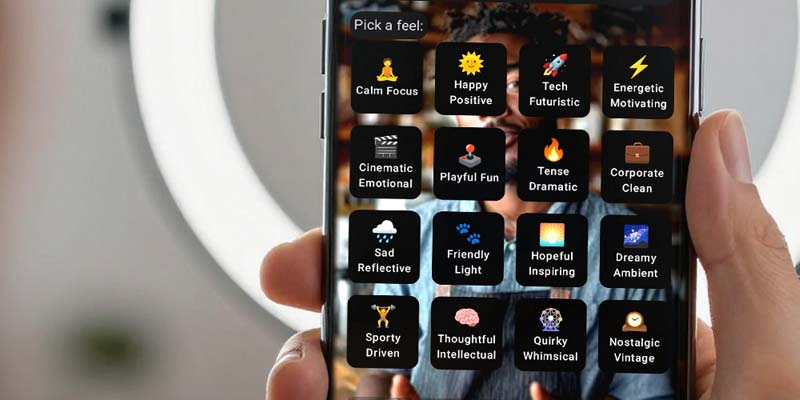
The music library helps you add a subtle background track that makes your speech-first clip feel more complete — without leaving SpeechCut.
Pick a vibe, keep it quiet under your voice, and export while momentum is high.
- Pick a background track from the built-in music library
- Keep your workflow speech-first (edit → finish → export)
- Export a more polished short with minimal extra effort
A quick finishing pass
The goal is not "perfect sound design." It’s a simple layer that supports your speech and makes the clip feel intentional.
Pick a vibe
Choose a track that matches the energy of the message.
Preview quickly
Make sure the track supports the speech, not distracts from it.
Pair with captions
A tight edit plus readable captions is a strong combo.
Export & post
Ship while the idea is fresh.

Tip: music should support your voice, not compete with it.
Proof (what to expect)
A small layer of music can make a short feel more complete - without turning your workflow into production.
More polish
A finished feel with minimal effort.
More consistency
A repeatable finishing step you can do every time.
More output
Less "I’ll finish it later" friction.
Realistic caveat: music is optional. For some clips (e.g., serious updates), no music can be the right choice.
FAQ
Is music required?
No. It’s a finishing tool you can use when it fits the clip.
Is SpeechCut a full DAW or audio editor?
No - SpeechCut is designed for speech-first shorts, with simple finishing tools for speed.
What platforms does SpeechCut support?
Android is available now. iOS is planned (waitlist).
Related features
Music pairs well with simple finishing.
Finish faster
Add a simple music layer, then post the clip while the idea is still hot.