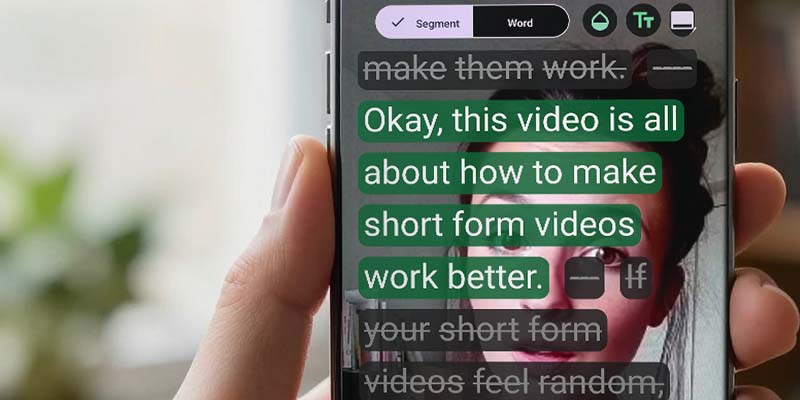
The transcript-based editing workflow helps you edit your video by editing the words — so you can remove mistakes, tangents, and filler without timeline wrestling.
It’s built for fast iteration: tap to cut, toggle to compare, and bring lines back if you change your mind.
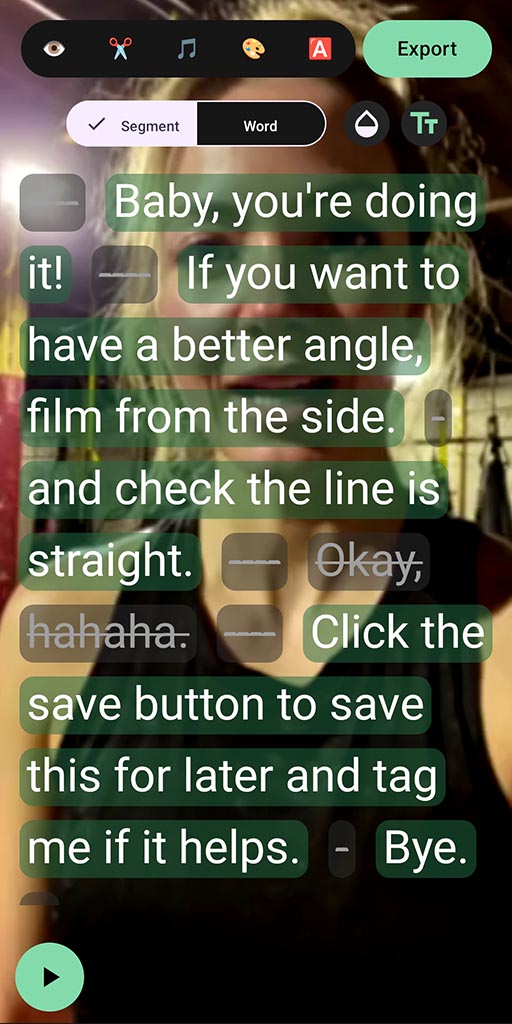
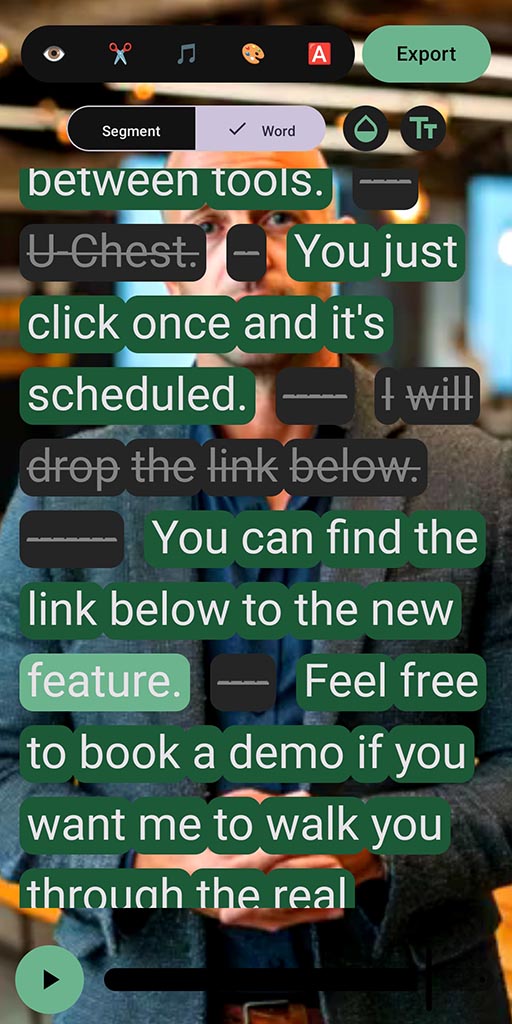
- Tap words and phrases to remove mistakes, tangents, and filler
- Toggle edits on/off to quickly compare versions
- Export a vertical, ready-to-post short
How transcript-based editing works
SpeechCut transcribes your speech and maps the words to the video. Then editing becomes a text decision: keep this line, remove that line.
Record or import
Start from a fresh recording or a clip you already have.
Edit by transcript
Tap words to remove mistakes, filler, and tangents.
Toggle to refine
Cuts aren’t scary - bring lines back if you changed your mind.
Export & post
Export a clean, speech-driven short for social.

Tip: speech-based clips work best when you cut anything that doesn’t earn attention.
Proof (what to expect)
Transcript-based editing is designed for speed and clarity - not maximal complexity.
Fewer retakes
Keep recording through stumbles and clean it up after.
Clearer delivery
Remove tangents and filler so the point lands.
More consistency
A workflow you can repeat: record → cut by words → export.
FAQ
Does this replace a timeline editor?
For speech-based talking-head shorts, often yes. For heavy compositing, complex multi-track edits, or film-style work, it’s not the right tool.
Can I undo a cut?
Yes. Words and phrases are toggleable, so it’s easy to bring a line back.
What if the transcript is slightly wrong?
That can happen. Review key parts before exporting, especially if audio quality is rough.
What platforms does SpeechCut support?
Android is available now. iOS is planned (waitlist).
Related features
These pair well with transcript editing.
Edit your next clip by editing the words
Talk naturally once. Cut to what matters. Post.