
The color correction tools help you make your talking-head clips look cleaner and more consistent, without turning your workflow into grading.
Do a quick cleanup pass after you’ve edited by transcript, then export a clip that’s ready to post.
- Do a fast “consistency pass” (small changes, big difference)
- Keep the focus on speech-first editing, not complex grading
- Export a more polished-looking short for social
A fast consistency pass
Think “quick cleanup,” not “cinematic grade.” A small improvement across every clip compounds over time.
Fix exposure
Make the clip easier to watch on a phone.
Make skin tones feel natural
Aim for “pleasant” and “consistent,” not perfect.
Match your other clips
Consistency across your feed builds trust.
Export & post
Don’t get stuck polishing forever.
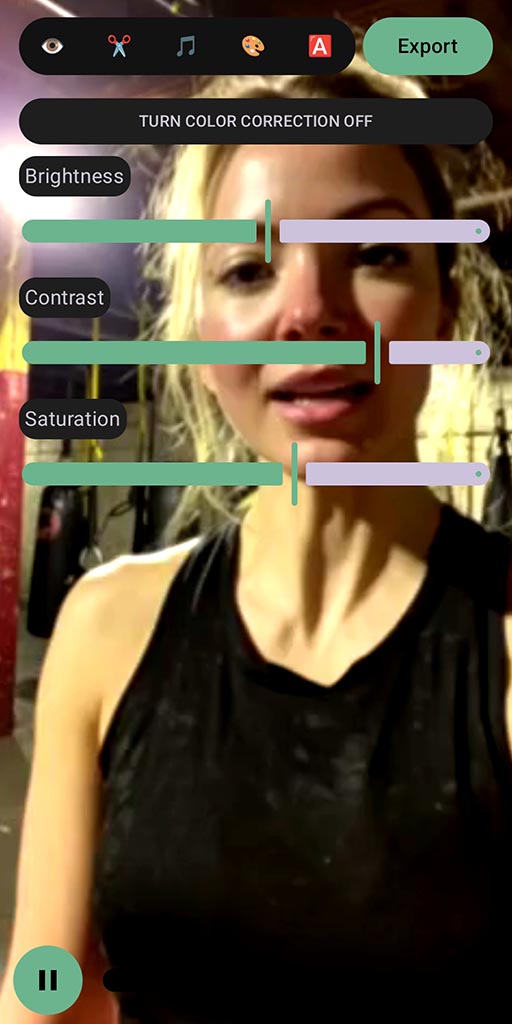
Tip: a small improvement on every clip is better than perfect on none.
Proof (what to expect)
Simple color correction helps your content feel more consistent - without slowing down your output.
Cleaner look
Less “random lighting” feel.
More consistency
A repeatable finishing step for your style.
More confidence
You’re proud to post the clip.
Realistic caveat: color correction won’t fix bad lighting. It’s a finishing tool, not a replacement for decent setup.
FAQ
Is this full professional grading?
No. SpeechCut focuses on fast, speech-first editing with simple finishing tools.
Do I need to do this on every clip?
Not necessarily. Use it when the clip looks a bit off or when you want extra consistency.
What platforms does SpeechCut support?
Android is available now. iOS is planned (waitlist).
Related features
Color is a finishing step. Pair it with a clean edit.
Simple polish, fast
Make your clips more consistent, then ship them while momentum is high.